Designing a data-rich dashboard that helps game studios understand their players, from sentiment and engagement analytics to publisher-level management and an in-page agent.
Overview
FirstLook helps game studios understand and engage their players. Its dashboard brings together what players say on Discord, what they do in the game, and how they answer surveys, so a team can see how a game is being received and act on it.
This project covers roughly a year of releases, from the first sentiment summaries to analytics, publisher-level tools, and an agent available on every page. The thread running through all of it is the same: turning a large amount of noisy player data into something a team can read at a glance, and then go deeper into when they need to.
Weekly sentiment summaries
October 2025
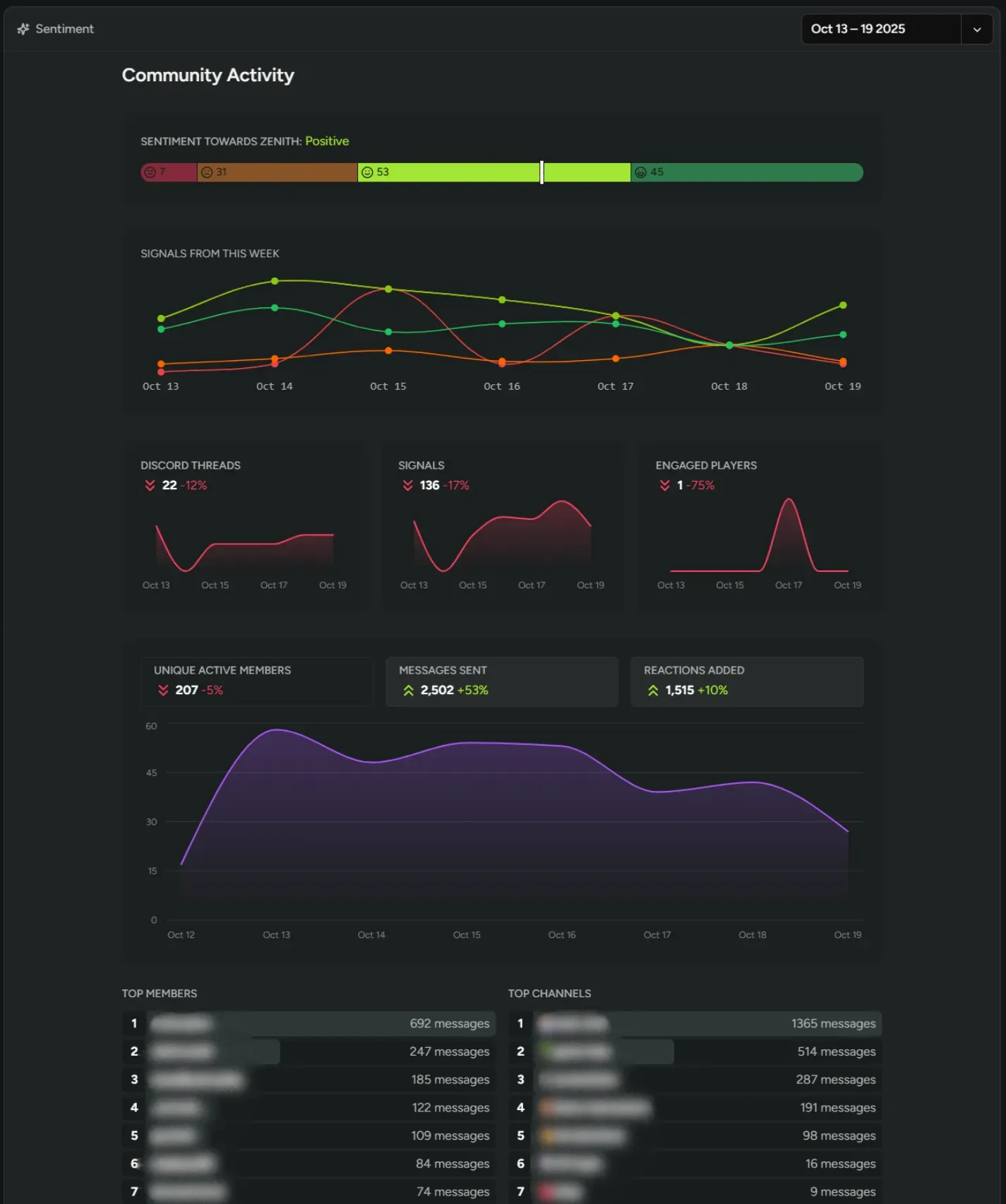
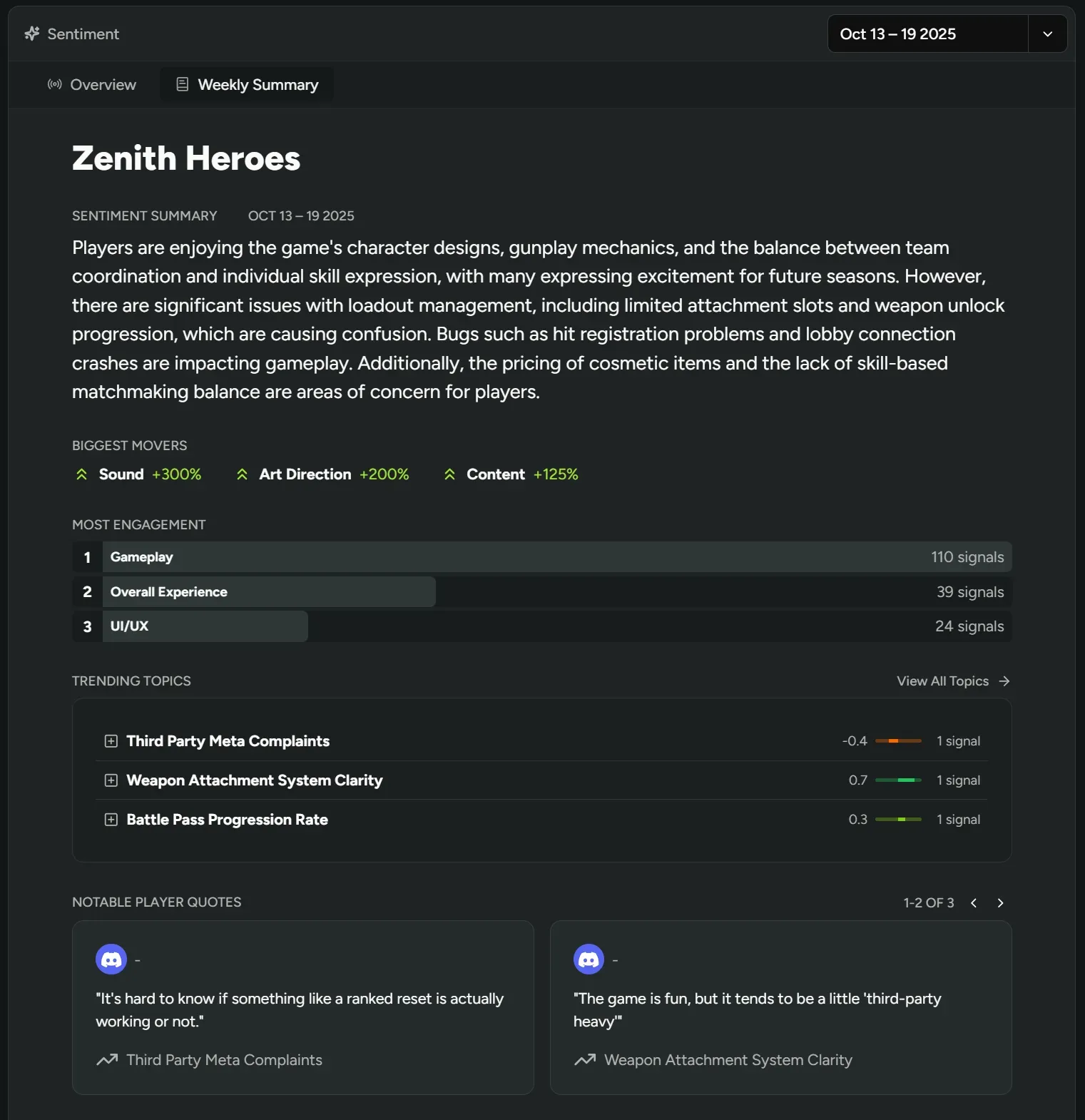
A week of player conversation is too much to read. The Weekly Summary tab on the Sentiment page condenses it into a short written overview, then backs that up with detail that is easy to scan: the biggest movers, the topics with the most engagement, trending topics with a sentiment score, and notable player quotes.
Teams can tell quickly whether a recent change landed well or a new issue has appeared, and open a topic when they want the specifics. The Community Activity view sits beside it, charting sentiment and signal volume across the week with small trend lines for threads, signals, and engaged players.
Sentiment on Discord text channels
October 2025
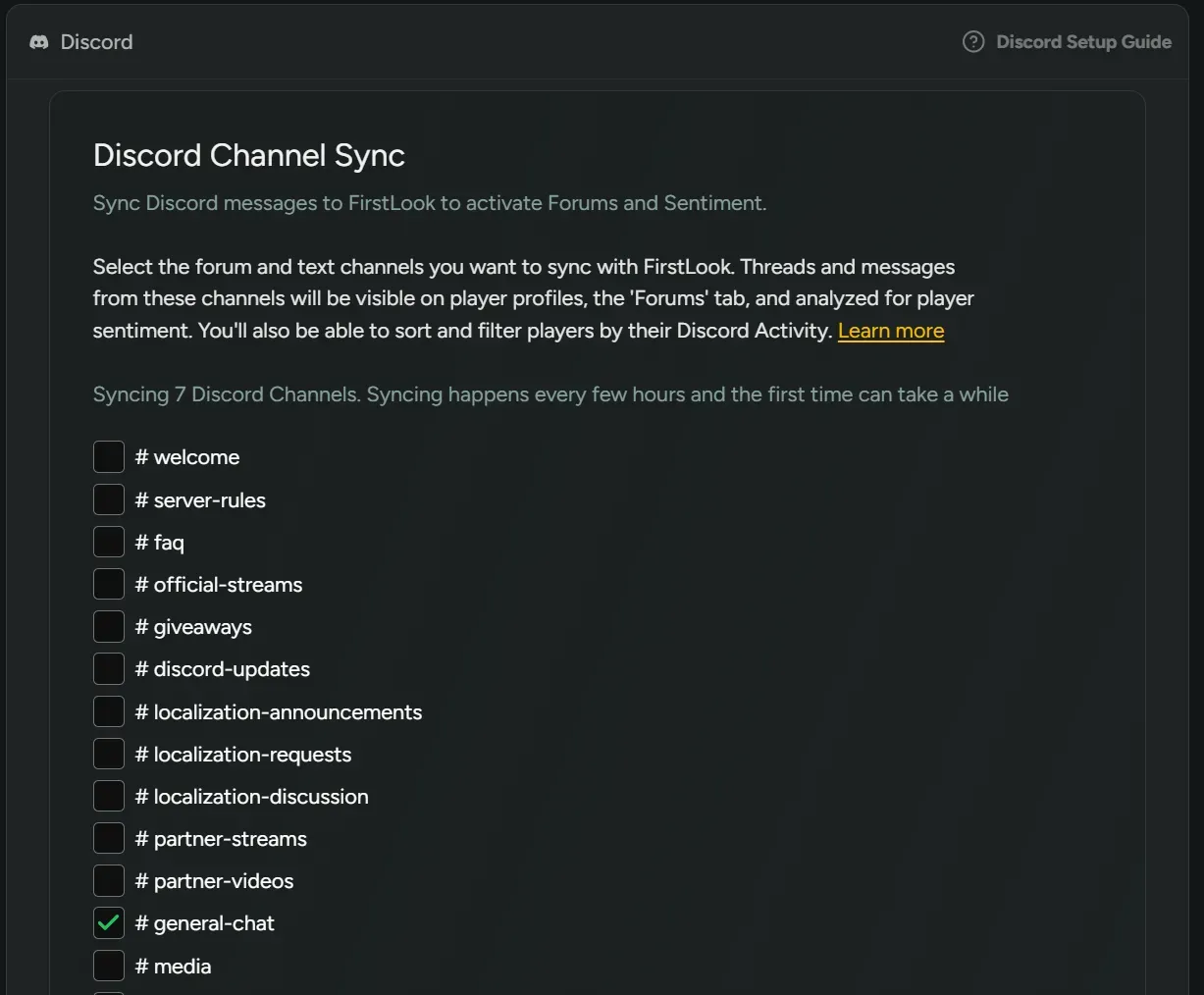
Sentiment started with forum channels, which capture structured discussion but miss the casual chat where a lot of player opinion lives. Text channels can now be synced too, so both are analyzed together.
Setup is a single checklist under Configuration > Discord. The copy on the screen explains what syncing does: threads and messages show up on player profiles and the Forums tab, feed sentiment analysis, and make players sortable by Discord activity.
Custom events in date filters
November 2025
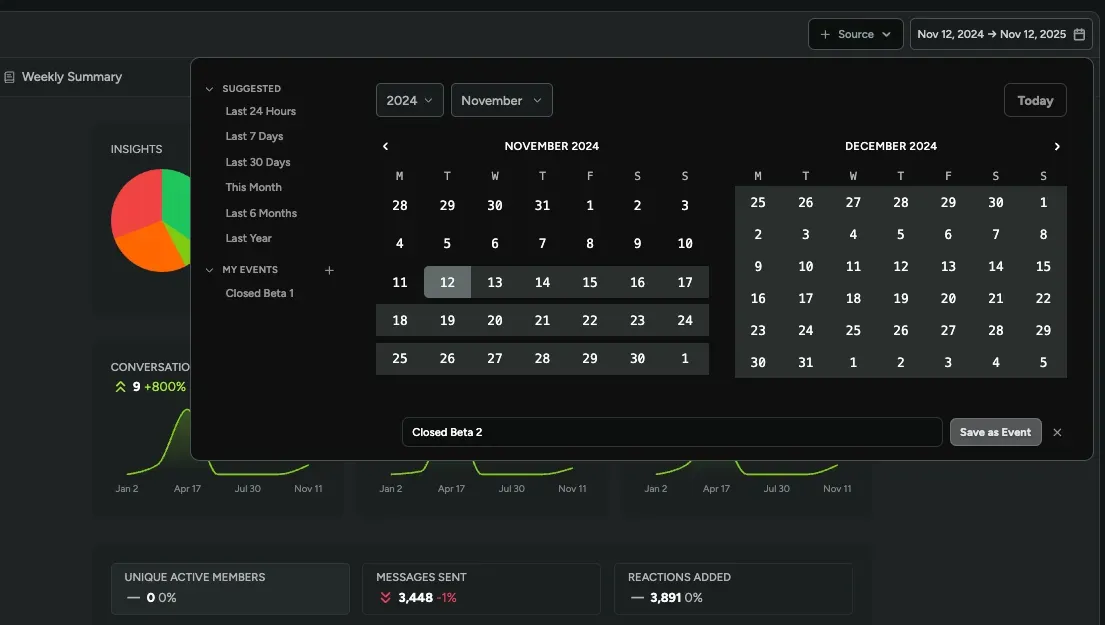
Teams think about time in terms of playtests, launches, and betas, not calendar dates. The date picker now lets them save a range as a named custom event under My Events, using the "+" beside it. Saved events work as one-click filters in Sentiment and Creator Content, next to the usual suggested ranges.
Publisher organizations
March 2026
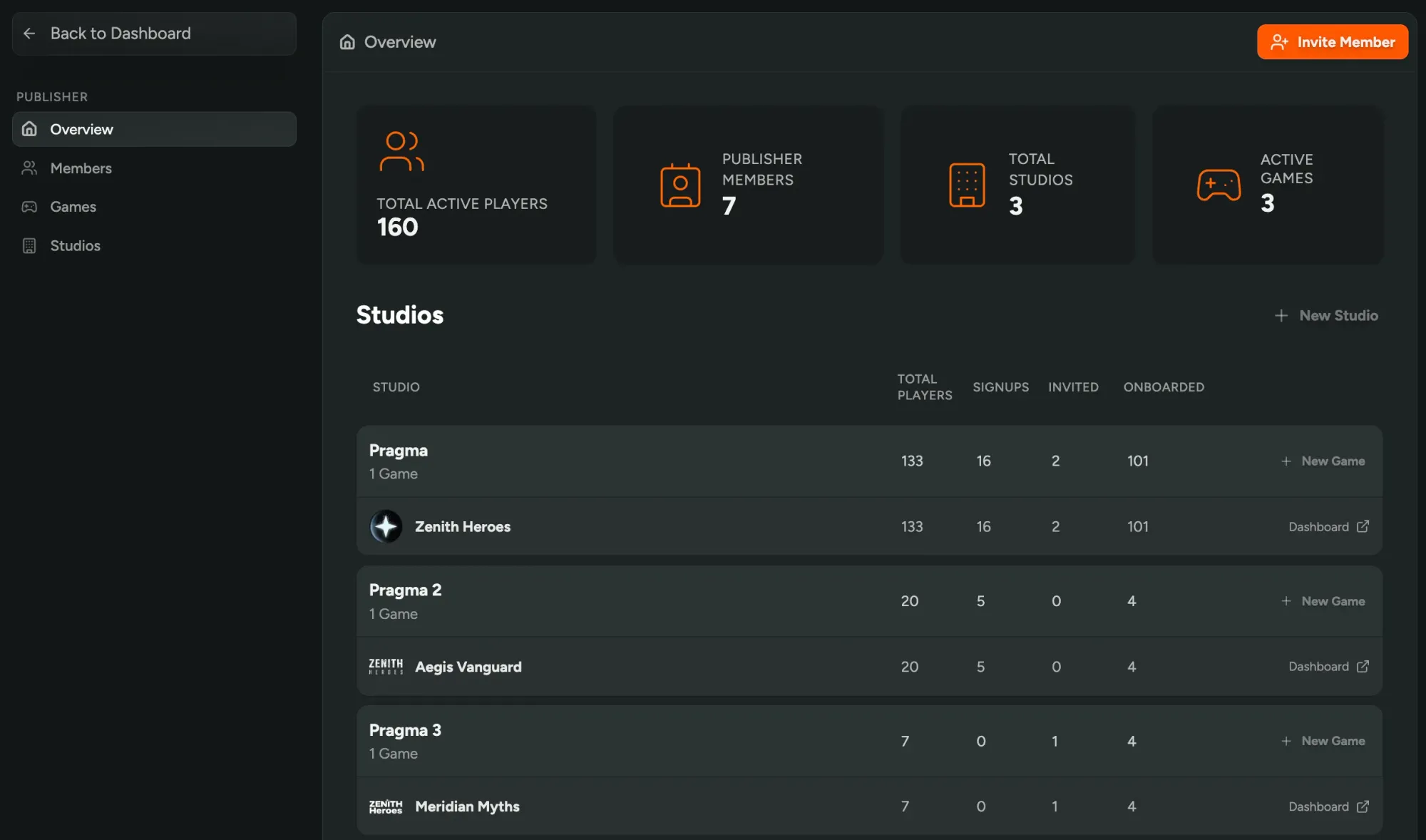
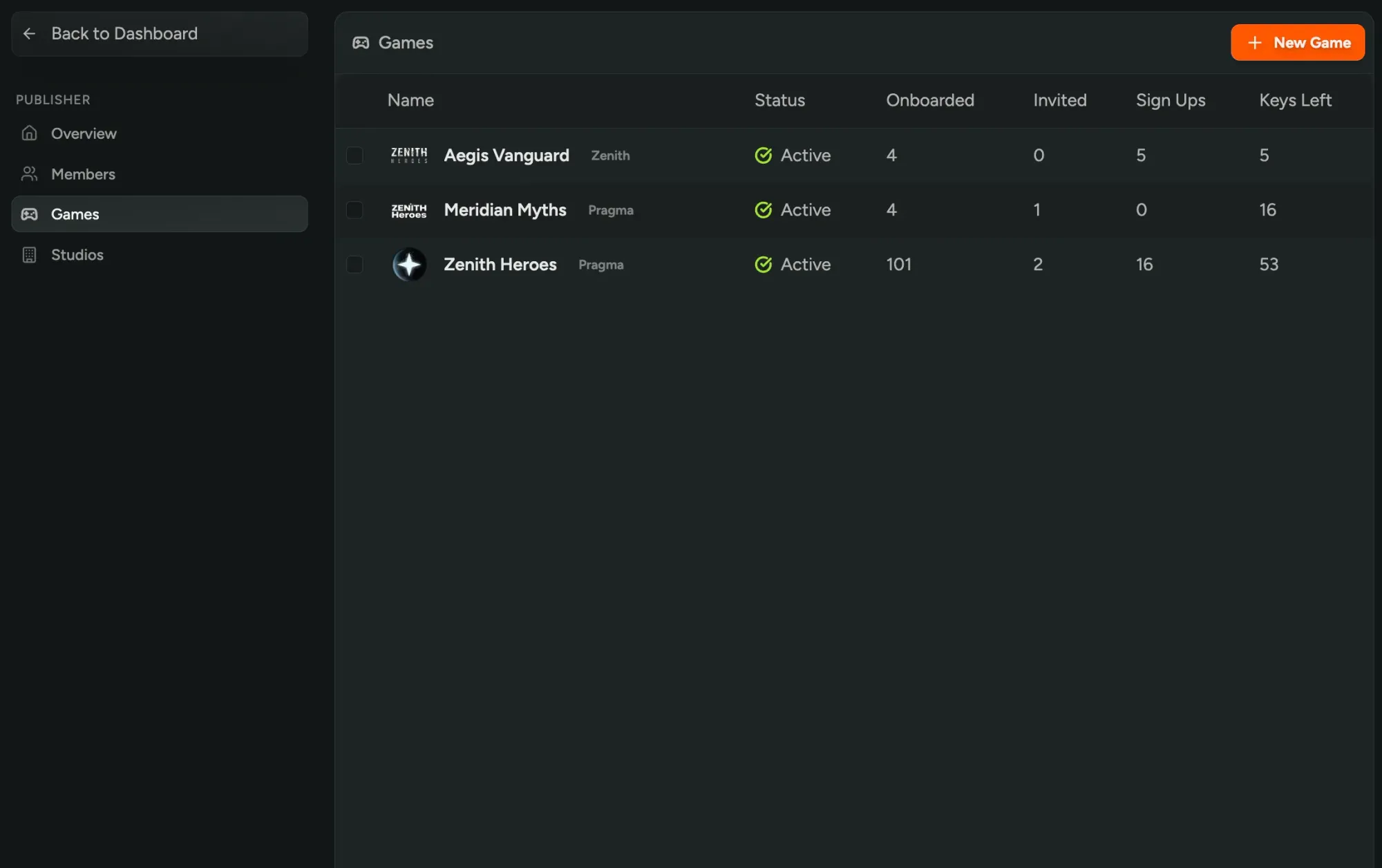
Publishers manage several studios and games at once, which the single-game dashboard wasn't built for. Publisher organizations add a dedicated overview with total active players across every game, per-studio permissions, and a games list where publishers can mark games active or inactive for billing.
Analytics and engagement
August 2026
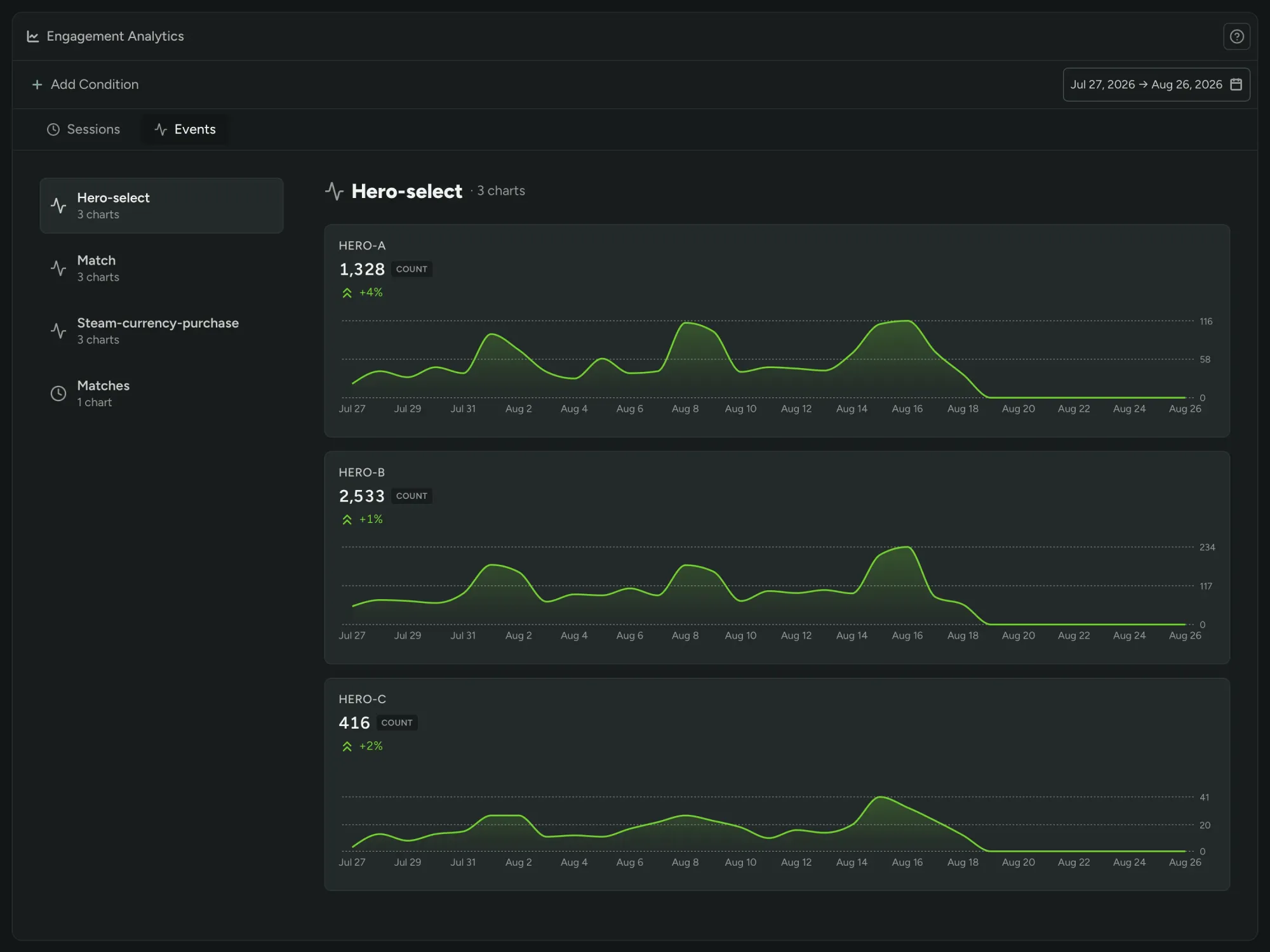
Analytics and Engagement moved out of labs and became generally available. Sessions, playtime, retention, and custom events now attach to each player, alongside survey answers, sentiment, and the rest of the data FirstLook already held.
That makes it possible to filter and segment players by any combination of those signals, and to reward or engage them based on what they actually do. Smart Tags build a segment automatically from a set of conditions and add new players as they qualify. Automated announcements handle repeatable messages, for example a reminder to playtesters who claimed a key but haven't played within two days.
Custom events UI refresh
August 2026
As teams added more custom events, the analytics page turned into a long scroll of charts. Related events are now grouped into a browsable list, so people can go straight to the one they need. Charts load more efficiently, and the page adapts better to smaller screens.
Agent on every page
September 2026
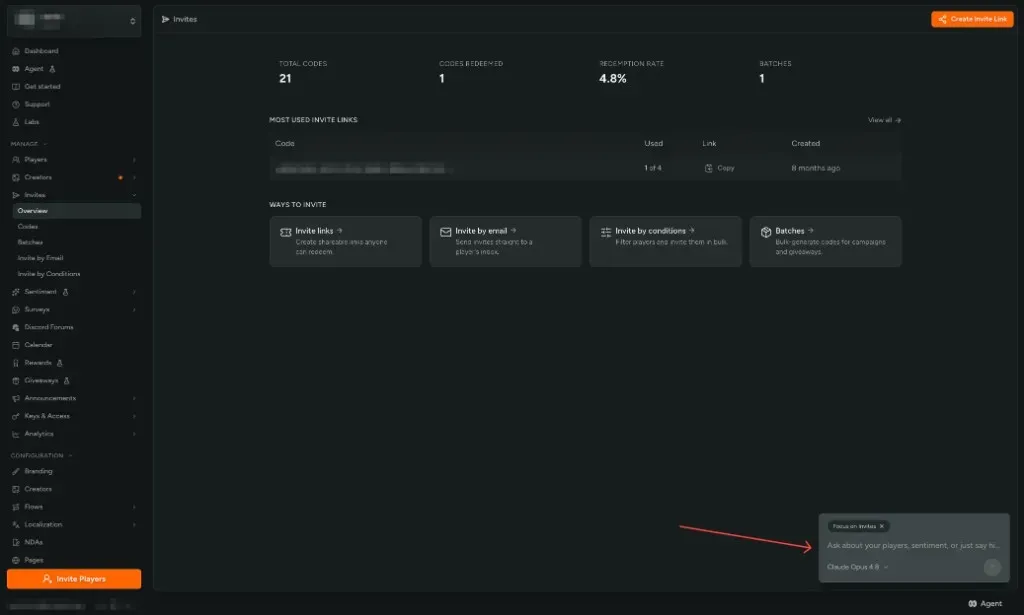
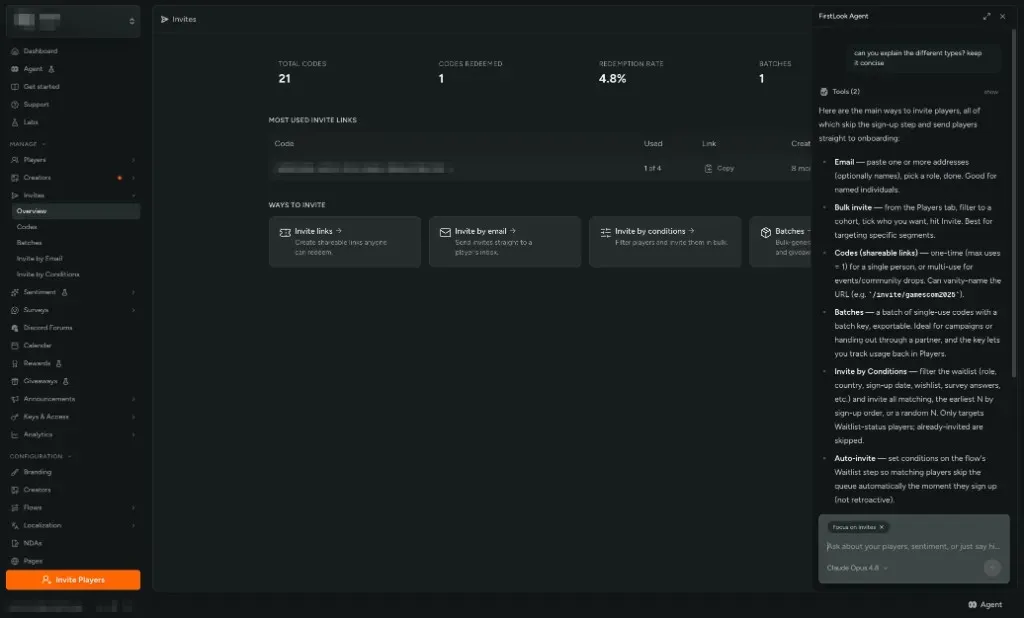
The Agent was already a page of its own. It now appears on most pages of the dashboard through a control at the bottom of the layout, which opens a chat panel over whatever the person is looking at.
The panel is labeled "Focus on" the page they came from, so they can ask about a column, a spike, or what to do next without explaining where they are. It uses the same player data, confirmations, and actions as the full Agent page, can be expanded for more room, and can open the full page for chat history and skills. Cmd/Ctrl + K and /ask still launch it.